
Text to Video
Write a scene. Watch it play.
Describe who is in the shot, what happens and how the camera moves. ChatUp’s video models turn it into a clip you can download and share.
34 video models to choose from
- Grok ImagineNewGrok Imagine Video 1.5 LitexAI's quick, low-cost video model for short clips from a prompt or a photo.From 100 credits for a 1-second clip
- MiniMaxNewH3 Turbo (Fast)A faster, cheaper MiniMax H3 for fluid motion.From 260 credits for a 5-second clip
- SeedanceNewSeedance 2.5ByteDance's newest Seedance: cinematic motion with sound, up to 15 seconds.From 2,460 credits for a 4-second clip
- SeedanceSeedance 2.0 FastA faster, lower-cost Seedance 2.0 with sound.From 1,256 credits for a 4-second clip
- SeedanceNewSeedance 2.5 DraftA 480p Seedance 2.5 preview for testing ideas at a lower cost.From 1,148 credits for a 4-second clip
- SeedanceSeedance 2.0Seedance 2.0: expressive motion and consistent characters, with sound.From 1,576 credits for a 4-second clip
- SeedanceNewSeedance 2.0 MiniThe smallest, cheapest Seedance 2.0, with sound.From 804 credits for a 4-second clip
- SeedanceSeedance 1.5 ProSeedance 1.5 Pro: smooth motion with generated sound, at a low price.From 268 credits for a 4-second clip
- SeedanceSeedance 1 ProSeedance 1 Pro: steady, cinematic silent clips.From 140 credits for a 2-second clip
- KlingNewKling 4.0Kling's newest model: lifelike motion with sound.From 612 credits for a 3-second clip
- KlingKling 3.0Kling 3.0: realistic motion and physics, with sound.From 654 credits for a 3-second clip
- KlingKling 3.0 OmniKling 3.0 Omni: keeps characters consistent across shots, with sound.From 546 credits for a 3-second clip
- KlingKling 2.6Kling 2.6: natural motion with generated sound.From 910 credits for a 5-second clip
- KlingKling 2.5Kling 2.5 Turbo: fast, fluid clips at a lower cost.From 455 credits for a 5-second clip
- MiniMaxNewMiniMax H3 MaxMiniMax's top H3 model for dynamic, detailed motion.From 520 credits for a 5-second clip
- MiniMaxNewMiniMax H3MiniMax H3: lively motion at a moderate price.From 390 credits for a 5-second clip
- MiniMaxMiniMax Hailuo 2.3Hailuo 2.3: expressive characters and dynamic camera work.From 636 credits for a 6-second clip
- MiniMaxMiniMax Hailuo 02Hailuo 02: crisp 1080p clips with good physics.From 624 credits for a 6-second clip
- VeoVeo 3.1Google's Veo 3.1: premium cinematic clips with dialogue and sound.From 2,080 credits for a 4-second clip
- Gemini OmniNewGemini Omni 1.1 FlashGoogle's newer Gemini Omni Flash for quick, coherent clips.From 390 credits for a 3-second clip
- Gemini OmniGemini Omni FlashGoogle's Gemini Omni Flash for quick clips from a prompt or a photo.From 507 credits for a 3-second clip
- WanNewWan 3.0Alibaba's newest Wan: clips with sound and strong prompt following.From 260 credits for a 2-second clip
- WanWan 2.7Wan 2.7: detailed motion from a prompt or a photo.From 260 credits for a 2-second clip
- WanWan 2.6Wan 2.6: dependable clips up to 15 seconds.From 650 credits for a 5-second clip
- WanWan 2.5Wan 2.5: affordable clips from a prompt or a photo.From 650 credits for a 5-second clip
- FluxNewFLUX 3 VideoBlack Forest Labs' first video model, with sound.From 1,105 credits for a 5-second clip
- LTXNewLTX 2.5Lightricks' LTX 2.5: sharp clips with sound.From 936 credits for a 6-second clip
- PixVerseNewPixVerse V6PixVerse V6: stylish, effects-friendly clips with sound.From 78 credits for a 1-second clip
- PixVerseNewPixVerse C1PixVerse C1: cinematic clips with sound.From 85 credits for a 1-second clip
- PixVersePixVerse 5PixVerse 5: quick, low-cost five-second clips.From 260 credits for a 5-second clip
- HappyHorseNewHappyHorse 1.1Alibaba's HappyHorse 1.1 for vivid, expressive motion.From 546 credits for a 3-second clip
- HappyHorseHappyHorseAlibaba's HappyHorse for vivid, expressive motion.From 546 credits for a 3-second clip
- Grok ImagineNewGrok Imagine Video 1.5xAI's Grok Imagine Video 1.5: fast, lively clips.From 182 credits for a 1-second clip
- Grok ImagineGrok Imagine VideoxAI's original Grok Imagine Video.From 91 credits for a 1-second clip
How it works
Describe the scene
Subject, action, setting, camera and mood — the more specific, the better.
Choose length and shape
Pick a model, a length and a shape for the channel you are making it for.
Create
The Generate button shows the cost first. Your clip lands in Assets when it is ready.
Prompts to try

Idea · Prompt. “A low, fast point of view, as if from a small cat, running down an old cobblestone market street lined with wooden stalls in late golden light.”

Idea · Prompt. “An orangutan steps off a propeller plane onto a grass airstrip and raises a vintage film camera to take a picture.”
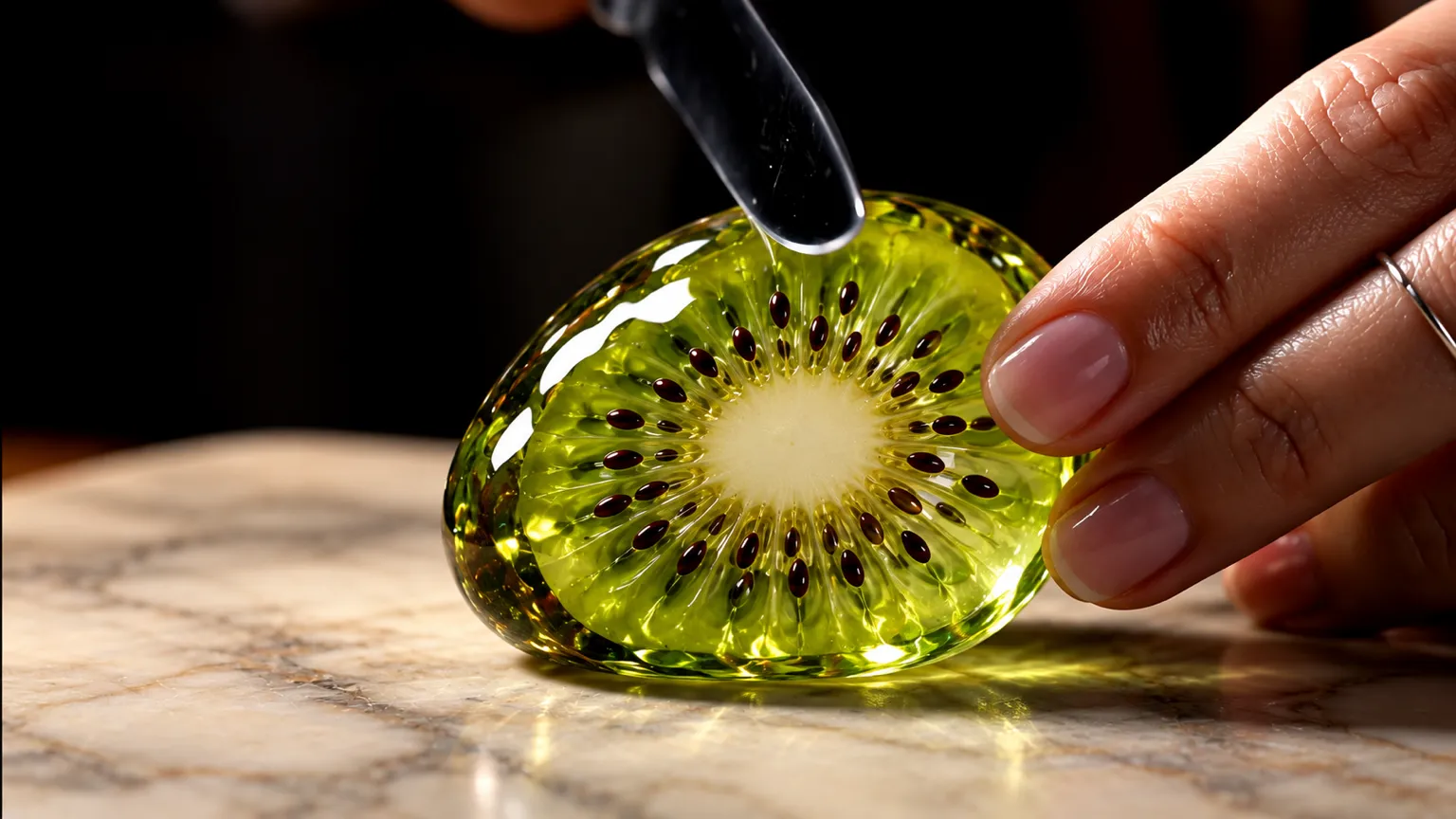
Idea · Prompt. “A calm close-up of a knife slicing through a kiwi made of glass on a pale marble board, with soft, satisfying sounds.”

Idea · Prompt. “Like a scene from a film, a small yellow paper boat drifts down a cobblestone gutter full of rainwater and autumn leaves.”
Frequently asked questions
What makes a good text-to-video prompt?
Name the subject and the action first, then the setting, the camera movement and the style. One clear scene works better than several.
Can the video have sound?
Some models add their own sound: H3 Turbo (Fast), Seedance 2.5, Seedance 2.0 Fast and Seedance 2.5 Draft among them.
Can I start from a photo instead?
Yes. Most video models in ChatUp also start from a photo and bring it to life.
Open the Video studioDo I need a plan to use text to video?
Yes. Making videos in ChatUp needs a paid plan or purchased credits. Each plan comes with weekly credits, and every creation shows its cost before you start.
See plansReady when you are
Pick a model, describe it, and see the cost on the Generate button before you create.
Write your first scene