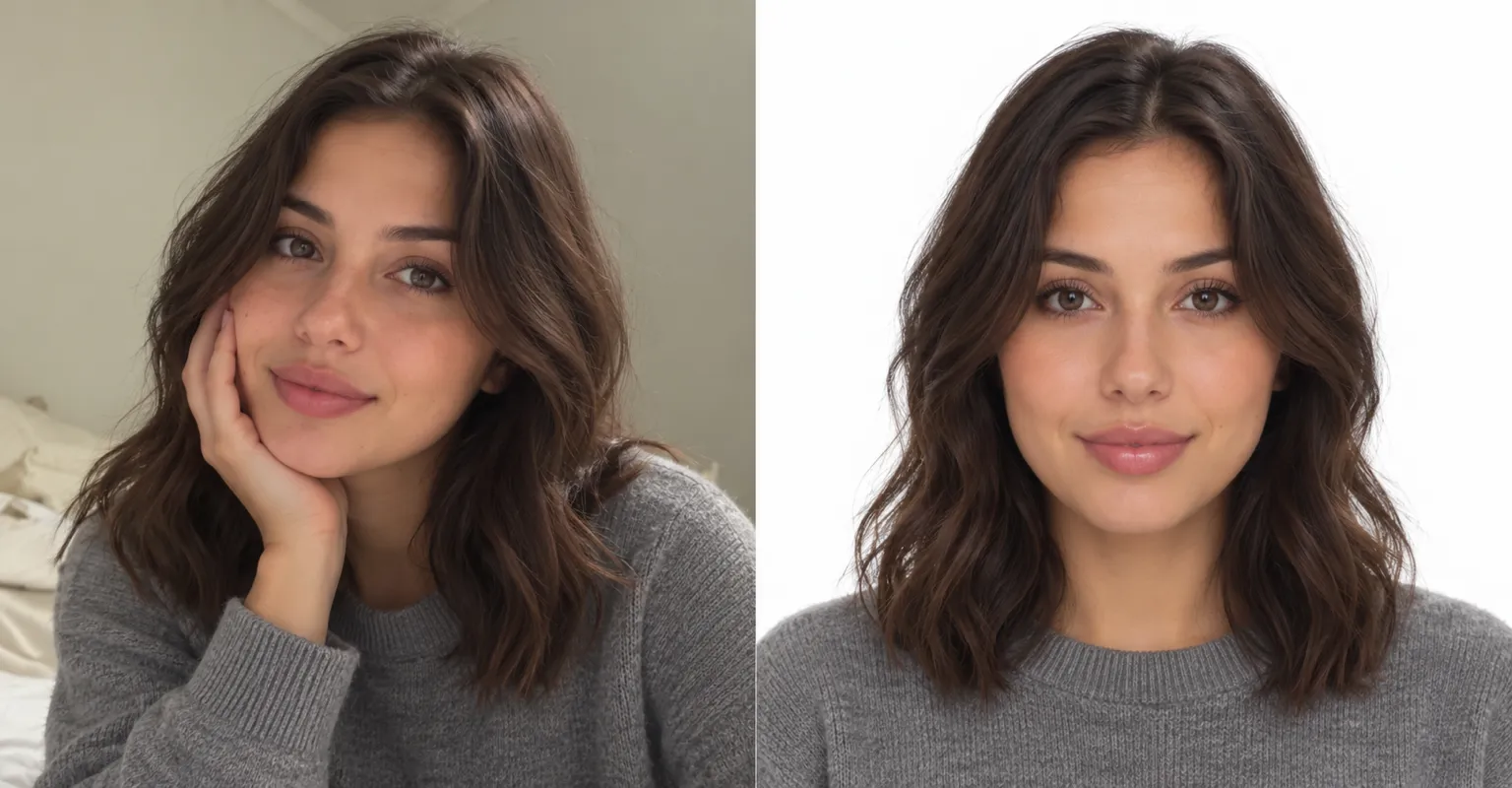
Clean profile backdrops
Swap a busy room for a plain wall or soft studio light, so a casual shot works as a profile picture.
Keep your subject and put it somewhere new. Add a photo, describe the background you want, and ChatUp’s image editor makes the swap.
Sample edit
Swap a busy room for a plain wall or soft studio light, so a casual shot works as a profile picture.
Put a product on a clean, even backdrop or in a styled scene that suits the shop.
Give a set of photos the same tidy background so they look like they belong together.
Place yourself somewhere eye-catching without travelling there.
Add up to 2 reference photos next to your own so the new background follows a style you already use.
Open the AI Image Editor and add the photo to change.
Say what the background should be and that the subject should stay the same.
Create the edit, then save it or adjust your words and retry.
Say “keep the person the same” or “background only” in your description. Small, specific edits keep the subject closest to the original.
You can ask for a plain white or single-color background. The editor makes a new image, so it doesn’t export a transparent cut-out.
Yes. Next to the photo you’re editing, add up to 2 reference photos so the new scene follows their look.
Yes. Making and editing images is part of a paid ChatUp plan. Plans show their limits before you choose one. See plans.
Under ChatUp’s Terms you keep the rights to what you create, including commercial use, as long as you follow the Terms and the law. Read the Terms.