
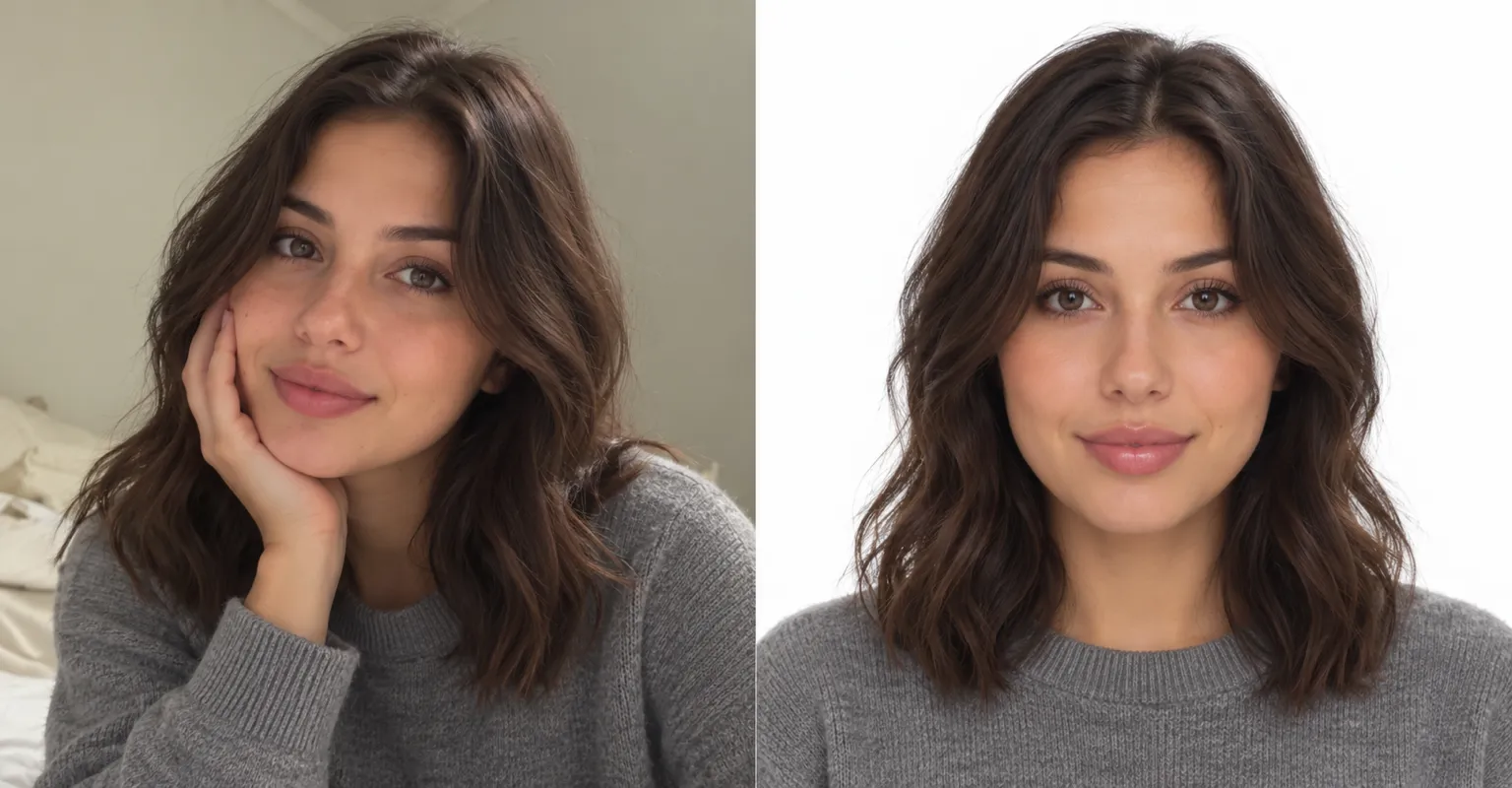
Selfie to headshot
Keep your face and expression, and ask for a clean backdrop, better light and a neater look.
Start from a selfie and get a polished headshot with a tidy background and soft light, or describe a headshot for a new profile picture.
Sample headshot
Keep your face and expression, and ask for a clean backdrop, better light and a neater look.
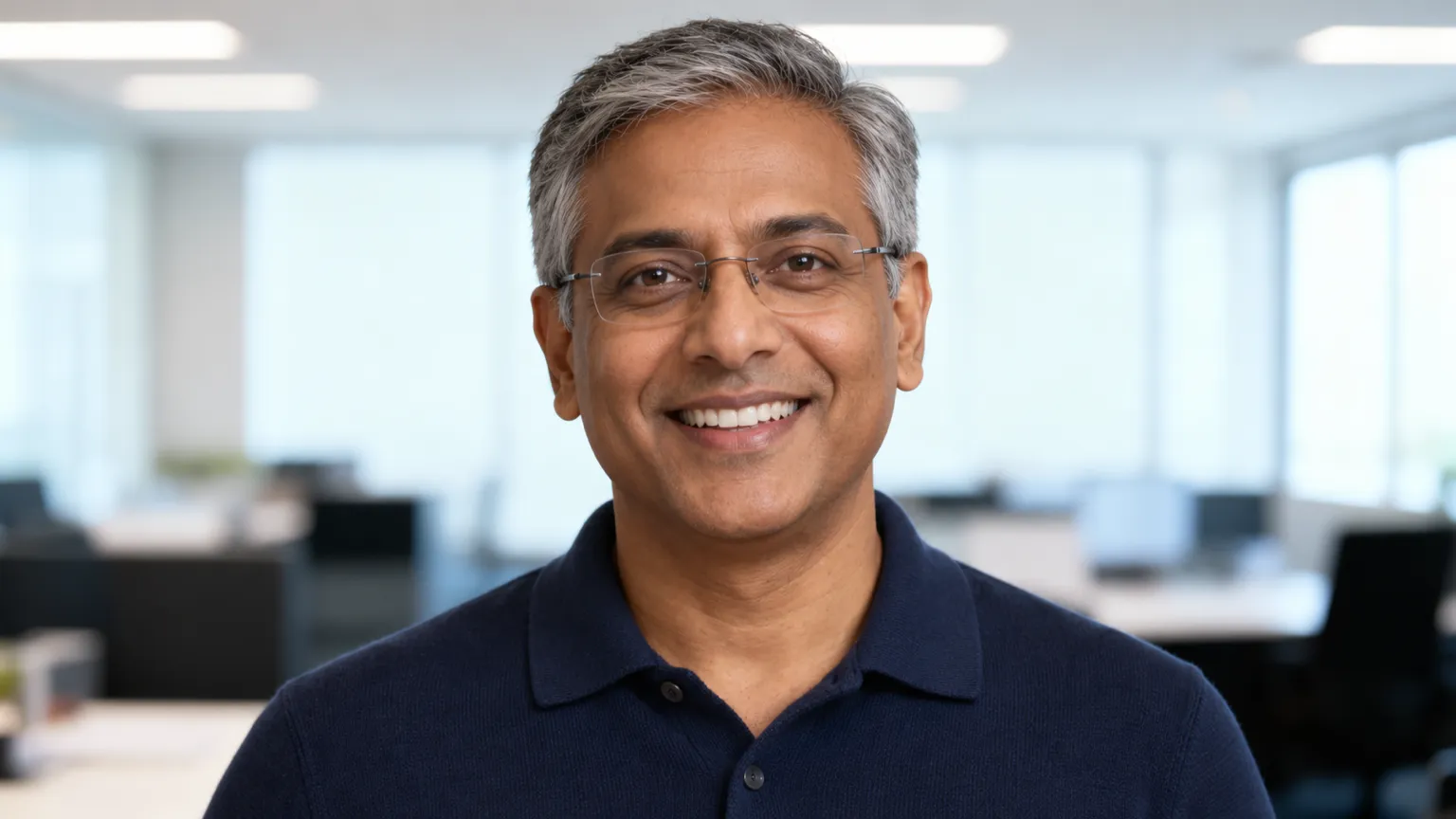
Use the same background and light in every description so a whole team’s photos match.
A tidy photo for job sites and work profiles.
Matching portraits for a company website.
A clean picture for events, books and press kits.
A fresh profile picture that still looks like you.
Use a clear, front-facing photo with your face well lit, in the AI Image Editor.
Name the background, light and outfit, and ask for your face to stay the same.
Try a few versions and keep the one you like best.
Ask for your face to stay the same and keep each change small. A clear, well-lit selfie gives the best likeness.
Yes. Describe both, such as “navy blazer, plain light grey background”.
Yes. Next to your selfie, you can add up to 2 reference photos with your edit.
Yes. Making and editing images is part of a paid ChatUp plan. Plans show their limits before you choose one. See plans.
Under ChatUp’s Terms you keep the rights to what you create, including commercial use, as long as you follow the Terms and the law. Read the Terms.

Add a selfie, describe the look, and save the result.
Try it now