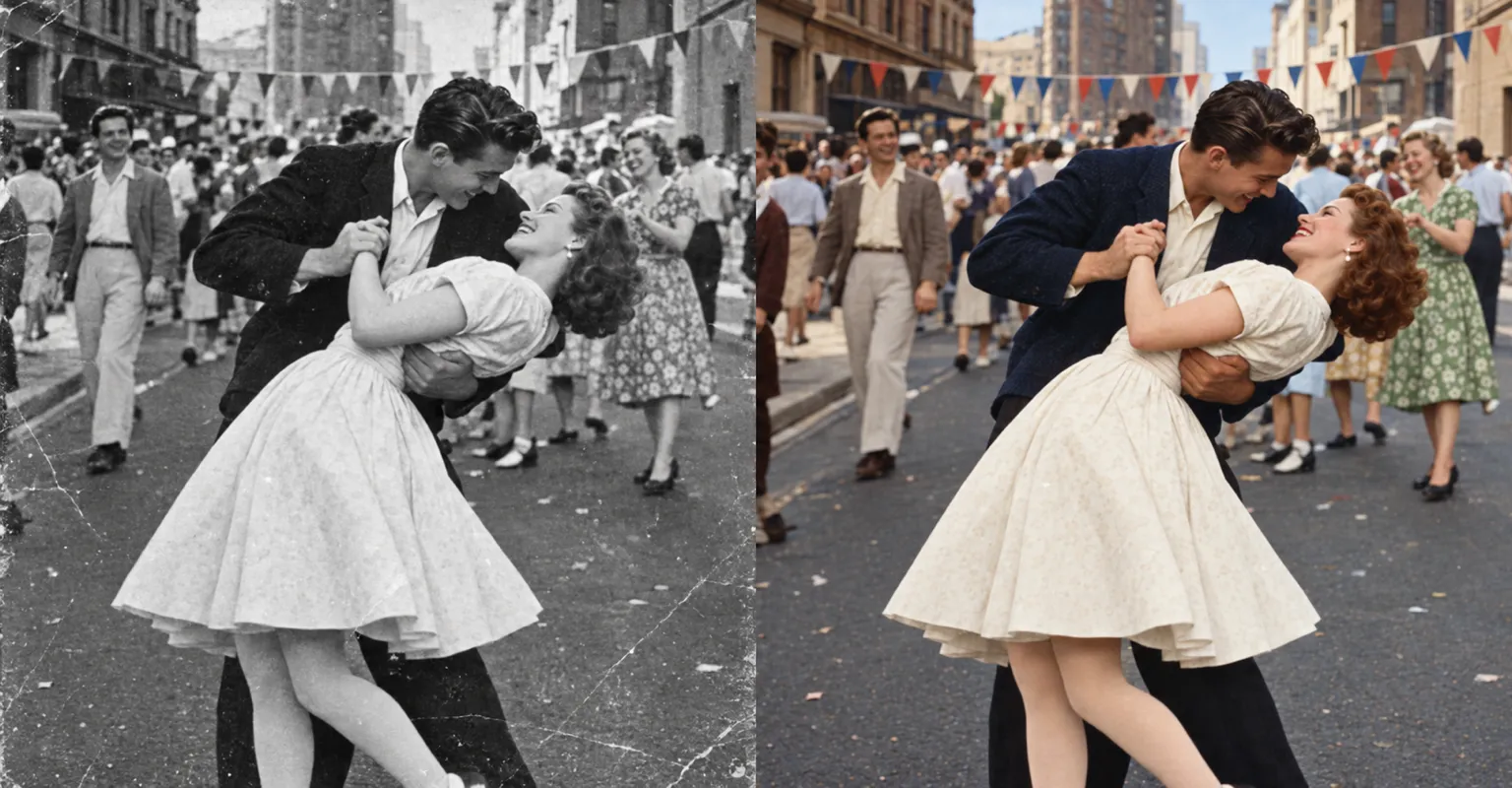
Repair and colorize
Ask for creases, scratches and faded patches to be repaired, and for natural color to replace black and white.
Bring old prints back. Add a scan or a photo of the picture, ask for scratches and fading to be repaired and color brought back, and save the result.
Sample restoration
Ask for creases, scratches and faded patches to be repaired, and for natural color to replace black and white.
Refresh prints of grandparents, weddings and holidays.
Prepare clear copies of old photos for slideshows and printed boards.
See an old moment in natural color, while keeping the people recognizable.
Restore a photo before framing it for someone who’ll treasure it.
Scan the print or take a straight, well-lit photo of it, then add it in the AI Image Editor.
Ask for the damage you can see to be fixed, and for color if you want it.
Save the restored version; your original stays as it was.
Add “keep the faces unchanged” to your description. If a result drifts, try again with a smaller change, such as repairs first and color second.
A flat, evenly lit scan or photo of the print, without glare, gives the editor the most to work with.
Yes. Ask for natural color, and mention any colors you know, such as a red dress or a blue car.
Yes. Making and editing images is part of a paid ChatUp plan. Plans show their limits before you choose one. See plans.
Under ChatUp’s Terms you keep the rights to what you create, including commercial use, as long as you follow the Terms and the law. Read the Terms.