Prints and posters
Give a phone photo enough pixels to print large without looking blocky.
Turn a small, soft picture into a large, sharp one. Add your photo, choose 2× or 4×, and ChatUp rebuilds the fine detail as it enlarges.
Sample photo
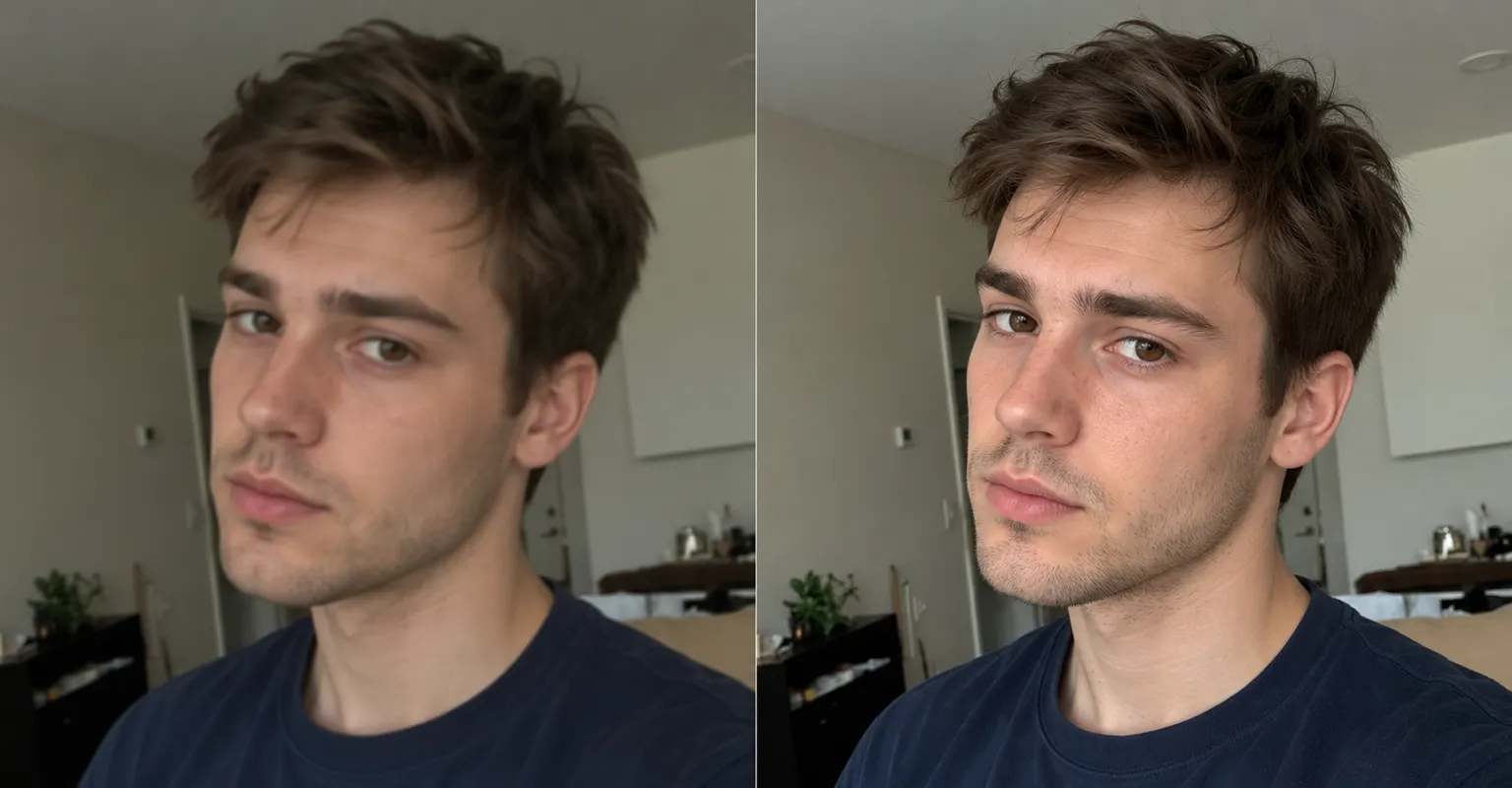
Give a phone photo enough pixels to print large without looking blocky.
Bring small product shots up to the size marketplaces ask for.
Rescue low-resolution pictures saved years ago from chats and websites.
Enlarge an image you made in ChatUp before you share or print it.
Upload a picture or pick one from your assets.
Choose 2× or 4×. The tool offers only what fits.
The larger image lands in your assets, ready to download or edit further.
No. It keeps the same picture and framing and adds detail as it enlarges, so faces and text stay recognisable.
There is a ceiling on the size of the result. When you add a photo, the upscaler resizes it so 2× fits under that ceiling, and offers 4× only when the photo is small enough for 4× to fit too.
A PNG, JPEG or WebP you upload, or any image already in your ChatUp assets. An uploaded photo is resized to at most 2048 pixels on its longest side, and an image too large for the tool is scaled down to fit before it is edited.
Yes. The image tools are part of a paid ChatUp plan. Each edit uses credits, and the tool shows the cost on its Create button before you start. See plans.
You get the credits back. That includes an edit stopped by ChatUp’s content checks.
Under ChatUp’s Terms you keep the rights to what you create, including commercial use, as long as you follow the Terms and the law. Read the Terms.